
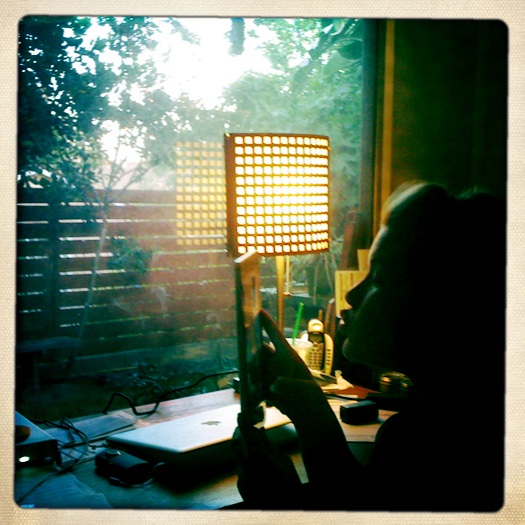
Scott got me an iPad
I’m too embarrassed to use my iPad in public. I need a sneaky case.
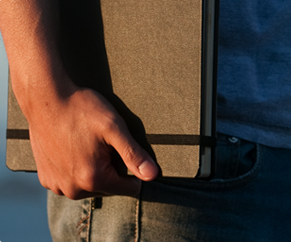 I totally know what you mean. Enter the beautiful Dodo Case. Modeled after the classic {long-standing drunkin’ writer favorite} moleskine notebook, the Dodo Case is hand crafted from Bamboo and bound using some seriously solid old school book binding methods. Things I love about the Dodo? #1. It’s really pretty. #2. It appropriately hides my iPad in public so I don’t feel like a super mega-douche when I whip it out. #3. It functions as a stand and a case (which, given a lot of them do, but still) AND protects your iPad with it’s super strong Bamboo construction (yes, the bamboo gets two mentions, because it’s sustainable.) Thanks to my friend (and oftentimes gadget guru) Sean for sharing this goodie with me. [For you Kindle
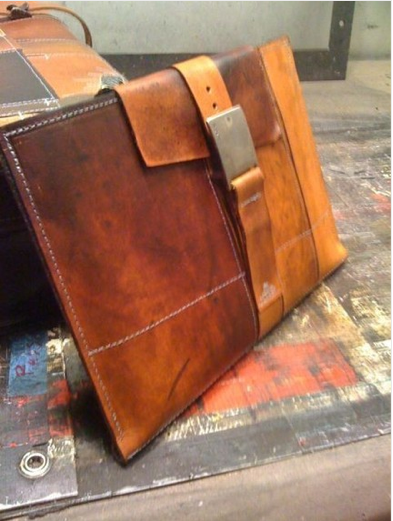 Cobbled together from worn-to-perfection bits of vintage leather, The PADstache {from [etsy seller] Fullgive} is another beautifully handmade way to stow your treasured tablet. The inside is lined with felt, and most of Fullgive’s {killer re-purposed leather} line is fully customizable, so you can pick your color and add little pouches for your phone or a pen (although, why would you really ever need a pen again?) or whatever your heart desires. Again, for you non-iPad folks, Fullgive has a whole shop full of unique and beautiful satchels and laptop bags and belts and stuff. I especially love this case for a macbook.
 If you’ve been with me for a while, then you already know how I feel about wood. If you’re stumbling here because you googled something dirty and I curse a lot, let me fill you in – I really, really love a super-sexy wood grain. So obviously this prototype from Substrata has me clawing desperately at my screen covered in my own drool, trying to get it out like I’m Mike Teavee’s Mama. Substrata also makes some freaking to-die-a-thousand-deaths-for iPhone cases that are definitely worth the year’s worth of milk money you’ll have to sock away to pay for it. (I know, I have oddly masculine taste in iPad cases. But imagine it paired with/coming out of a cute hobo/my beloved diaper bag and it’s not weird, right? And also are “hobo’s” still cool? I have no idea.) Still looking for some non-brown, non-manish options? Try HERE, HERE (also kind of unisex-y,) HERE, definitely HERE and pretty much everything in My Green Monkey’s Etsy shop under iPad.
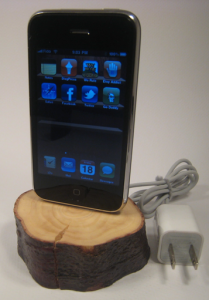
- Lil Sticks iPhone Dock. Not iPad related, but still awesome.
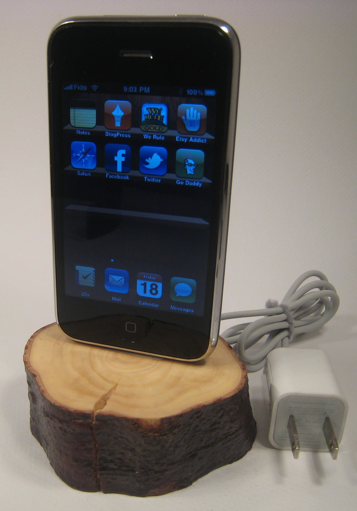
As for stands (and all iPhone/Pad/Pod related docks, etc.) definitely check out ‘Lil Sticks, who makes the raddest iPhone dock I’ve ever seen, and some pretty lovely iPad stands to boot.
But what do you do with it?
I’m glad you asked that question. Now that I am officially douchified as an iPad owner, let me tell you a few of my favorite activities to share with my precious. (Oh man, I can’t believe I just made that weird reference. I’m kind of embarrassed.)
I’m a Mom, as you know, and I work from home, as you may or may not know, and four days a week I do it with Dee by my side. (One day a week my amazing mother in law Ann Marie generously and heroically takes Dee for me all.day.long, and it is luxurious how much work I get done on those days, and I can’t thank her enough.) Ahem, so really, the biggest thing the iPad has going for it right now is it’s one-handed portability-ness. If we’re having a no-nap day, and I absolutely HAVE to get something done – I can do everything on it but actually write screenplays (which…uh…final draft? how’s that app coming by the way?)
 Oh, iAnnotate, how I love thee. Don’t even ask me how I managed to have my iPad for two whole days without it. It was Marcos who first introduced me to it, and ever since then, I swear, this single app has revolutionized my life more than I ever thought possible. I’ve totally forgotten all about my bitch of a printer which will now sit in the corner of my office for all eternity left to rot (okay, print photos) because this app has eliminated my need for gratuitous printing of scripts/outlines/anything that can be PDF’d that I’d usually want to make notes on so I’d print out, but the inevitably would get frustrated and just start reading it on my computer anyway so it would be a total waste of paper. (See…the underlying message here is iPads are green, so all that money went to a good cause, and will pay for itself in printer ink.) So now, instead of making notes on the backs of blank pages or squished into the margin with arrows all over the place indicating which line I’m talking about, etc., I just PDF my scripts, open them in iAnnotate, and tap and type and highlight and yes…even draw arrows to my heart’s content. And when I’m done, I can send a report of all of those notes along with the script (and I hear the actual annotated script as a new PDF, but I haven’t actually done that yet) to whomever might need to read said notes. My notes are legible, easily organized, easily shared, and I don’t have to record page numbers and dialogue in my note books so I can still tell what I was talking about three weeks later.
So that’s what it does for me. But I bet you could use it at your job too. If you read PDF’s, and you make notes, you will freak out for this program.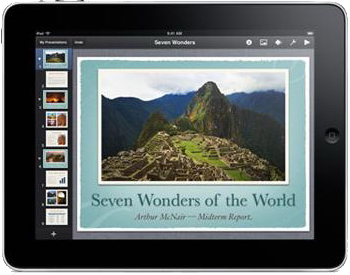
We are a Mac household across the board, and for me, that includes iWork for all my Microsoft Office type needs. {In my opinion, it just kicks Office’s ass on all levels, especially keynote, especially for design-heavy presentations. My .02.} So the fact that all three programs (Keynote, Pages, Numbers) are available for iPad for $10 a pop is like my wildest dreams come to life. It makes me so portable, I can hardly stand the freedom. My heart is soaring right now just thinking about the places I’ll go!
I am not a chef by any stretch of the imagination, but the Epicurious app has added just a little bit of flavor to my supermarket shopping. You can search recipes, make shopping lists, save favorites, and it is right there with you…if you bring your iPad out in public…which I do only late at night. But still. Even if you don’t cook, the startup screen is so pretty, you’ll probably want to go ahead and download it anyway. Plus it’s free. So why not?
On the kids front, I keep up with Dee’s reckless nap schedule with Baby Geek, and the little lady quite enjoys SoundTouch, as well as trusy iPhone favorites Infant Arcade and Peekaboo Barn. There is also a pretty interesting looking Sign Language app called BabySign but it was too expensive so I didn’t buy it (the lite version is worth checking out though.)
For organization I’m actually liking G-Whizz, which I know is basically a button that links to your Google account, but it’s so damn convenient, and works beautifully…if only it had google wave access, which [developer] Ricky Bloomfield assures me will be forthcoming. Here’s hoping it’s a free upgrade. Evernote seems like it might come in handy if I could find the time to figure out how to use it, and I’m not quite jumping on the Bento bandwagon just yet, because I don’t really like the way it looks and interacts, if we’re being frank (which I guess, we are?) And introducing the first blog reader I’ve ever liked…Early Edition (which is kind of pricey for a reader, but luckily I had an unused iTunes gift card from x-mas just begging to be burned on apps.) It’s kitschy interface probably isn’t for everyone, but I find it a really great way to keep up on some of my go-to favorites without losing them in Google Reader or my bookmarks folder.
And Finally…Things I wish it could do but feel optimistic it will do in the future:
Well, first and foremost, I want Final Draft to get on the stick and release their damn app already. And it better be full-featured. And yes, I do feel totally justified in being that demanding about it, because I know they are probably going to make it crazy expensive and that is going to piss me off if I can’t do everything I want to do with it but they try to bamboozle me into buying it because I could then access script notes on it, but the joke’s on YOU final draft, because iAnnotate has already filled that gap while you’ve been snoozin’ on the job, and now you’ll be hard pressed to best their interface, options, and compatibility in a mere FD reader.
I want apple to release a “Back to my Mac” app so that I can look for files on my laptop without having to get up off the couch. Or y’know…if I’m not with my laptop.
I want The Bump, or WTEWYE, or BabyCenter to release a new-parent questions app so that I have easy access when I start panicking that [insert weird noise Dee made] means that Delilah definitely has [insert obscure probably eradicated disease here] I can calm down that much faster.
I wish there was a stylus for quick jotting. This third party one has my interest piqued.
I wish there was a mount of some kind so I could mount it to Dee’s stroller when she’s napping and I have to walk in circles for an hour. (I know that’s excessive, but it would be awesome. I would absolutely not zone out and walk into traffic.)
Oh, and I really really wish that Yojimbo would come out with a damn [desktop syncing] app already so I can stop trying to find a makeshift solution to my ADD.
Damn, I’m sure I had more, but I can’t remember what they were. Maybe I should have written them down on my iPad.
(How many times do you think I said app in this post? I think a lot.)
{Oh! Also, anyone got any good recommendations for a screen protector? Perhaps one that more closely mimics the kindle reading experience? Or maybe just plain ‘ol matte will do…}
10 Replies to “I’m sorry but I have to talk about my iPad.”